| Tool Name | Core Purpose | Best For | Main Platform |
| Meta Business Suite | Social media management & marketing | Small businesses, creators, agencies | Facebook & Instagram |
| Google Workspace | Cloud collaboration & email suite | Remote teams, offices, students | Web, Gmail, Docs, Drive |
| Oracle E-Business Suite | Global enterprise resource planning | Large corporations, supply chains | Enterprise Cloud & On-Premise |
| SAP Business Suite | Core business operations & analytics | Enterprise companies, manufacturing | Enterprise ERP Systems |
Managing a growing company requires effective organization and clear communication. If you manage social media accounts, jump between apps, and try to track messages manually, you can quickly feel overwhelmed. Using facebook business suite allows you to bring all your social marketing efforts under one roof. In this comprehensive guide, you will learn how to master this free tool, save precious hours, and connect with more customers every single day.
What Is Facebook Business Suite And Why Use It?
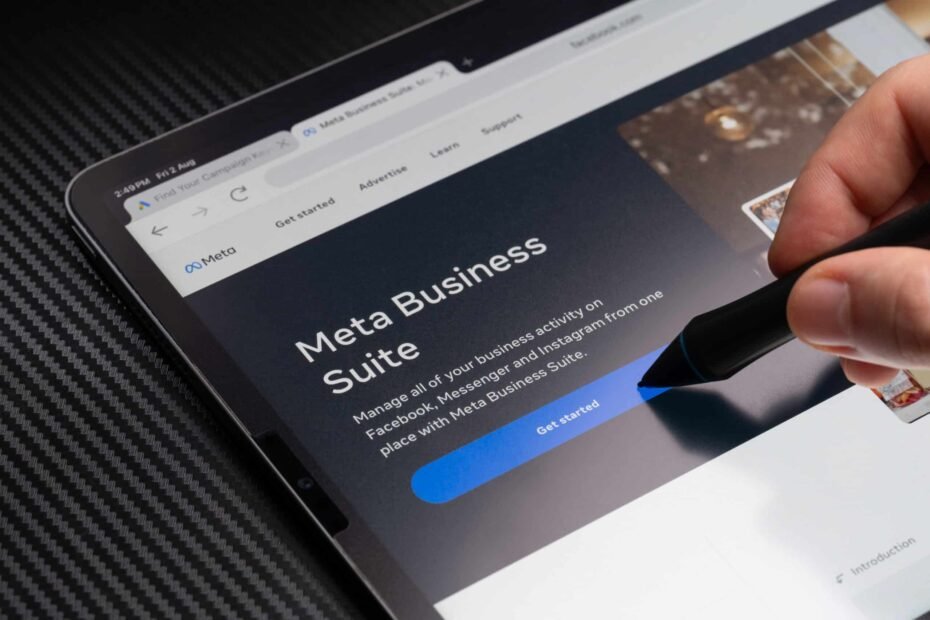
The facebook business suite is a free central dashboard created by Meta to streamline social media tasks. It allows small business owners and creators to manage their Facebook pages and Instagram accounts simultaneously from a single location. Instead of logging into separate accounts, you can view all notifications, messages, and performance metrics in one unified space.
Using facebook business suite simplifies your routine work so you can concentrate on product development and client relations. You can write posts, design stories, and publish content across both social networks with just a few clicks. Having access to centralized tools helps eliminate missed messages and ensures your brand presents a polished, professional image to every visitor.
Meta Business Suite: Understanding The Official Rebrand
Many entrepreneurs still search online for facebook business suite out of habit. However, Meta officially updated the platform’s name to meta business suite to better reflect its growing universe of social apps. While the name changed, the core mission remains the same: helping you grow your digital presence quickly and smoothly.
Understanding the transition to meta business suite is helpful when navigating help guides or watching video tutorials online. The current platform includes enhanced support for Instagram messaging, WhatsApp integrations, and unified ad campaign management. Upgrading to this modernized dashboard gives you instant access to Meta’s newest marketing and analytics features.
What Is Meta Business Suite Designed To Accomplish?
If you are wondering what is meta business suite capable of doing for your brand, the answer lies in its multi-tasking power. This all-in-one hub connects your social media profiles directly to powerful administrative features. It acts as a digital control center where you can schedule content, respond to customer inquiries, and evaluate performance trends.
The primary goal of business suite meta tools is to help teams work smarter without spending extra money on third-party software. You can grant team members specific administrative roles without sharing your personal account password. This creates a secure, organized workflow that keeps your digital marketing efforts running smoothly around the clock.
Key Features Of The Facebook Business Suite Dashboard
The dashboard of facebook business suite offers a clean layout designed for quick navigation. From the main home tab, you get an immediate summary of recent activity, active ad campaigns, and follower growth. The visual content planner allows you to view upcoming scheduled posts in a weekly or monthly calendar view.
Another standout component within facebook business suite is the unified inbox. This feature combines comments and direct messages from Facebook, Instagram, and Messenger into one organized stream. You can set up automated instant replies to greet visitors immediately, saving valuable time while boosting customer satisfaction rates.
How To Set Up Your Account Step By Step
Getting started with facebook business suite is straightforward and takes only a few minutes. First, log into Facebook using your personal account, then navigate to the official Meta website. You can connect your existing business page or create a brand new one directly from the desktop interface.
Next, link your professional Instagram account within the meta business suite settings menu. Pairing these accounts unlocks full cross-posting capabilities, shared ad budgets, and unified inbox management. Once linked, download the mobile app on your smartphone so you can manage your community and check performance while on the move.
Creating And Scheduling Content Like A Pro
Consistent publishing is essential for social media growth, and facebook business suite makes content scheduling simple. You can create a post, upload high-resolution images or videos, and preview how the content will appear on both Facebook and Instagram feeds. You can customize text, tags, and links specifically for each platform before publishing.
Instead of posting manually every day, use the planner in facebook business suite to schedule your content weeks in advance. The platform even suggests optimal posting times based on when your followers are most active online. Scheduling content in advance keeps your channels active while giving you time to focus on running your business.
Tracking Audience Insights And Performance Metrics
To run successful marketing campaigns, you need clear data about what content your audience enjoys most. The insights tab in facebook business suite offers easy-to-read charts tracking reach, engagement, and follower demographics. You can easily check which posts earned the most likes, shares, and comments.
Reviewing performance metrics in facebook business suite helps you refine your marketing strategy over time. You can discover whether your audience prefers short videos, image carousels, or link posts. Relying on real performance data allows you to create content that drives sales and attracts loyal followers.
Exploring Enterprise Software: Oracle E Business Suite
While Meta focuses on social media marketing, enterprise companies often rely on broader business software for daily operations. For instance, oracle e business suite is a comprehensive software package designed to manage global enterprise operations. It helps large organizations oversee supply chains, financial accounting, human resources, and customer relationships within a single system.
Comparing a specialized marketing tool like facebook business suite with an enterprise platform like oracle e business suite shows how different software serves distinct business needs. Small brands use social suites to connect with customers online, while global corporations use enterprise ERP systems to manage complex internal data and supply chains.
Industrial Efficiency: The SAP Business Suite Approach
Another prominent enterprise solution in corporate IT environments is the sap business suite. This software bundle helps large companies streamline manufacturing processes, logistics, procurement, and data analytics across global teams. It provides real-time visibility into business performance, helping leaders make fast, data-informed decisions.
Just like facebook business suite organizes your social marketing tools into one dashboard, the sap business suite organizes internal corporate operations under a single umbrella. Understanding the role of specialized software across various industries highlights the importance of choosing the right digital tools for your business goals.
Everyday Productivity Tools: Google Business Suite
For day-to-day office tasks, millions of teams turn to cloud collaboration tools commonly known as google business suite (now branded as Google Workspace). This suite includes popular cloud applications like Gmail, Google Docs, Drive, Sheets, and Meet. It allows remote teams to collaborate on documents, host video meetings, and manage company email addresses in real time.
Combining google business suite for internal office productivity with facebook business suite for external marketing creates a powerful tech stack for any business. You can write your content strategies in Google Docs, store brand assets in Google Drive, and schedule them across social channels using Meta’s dashboard.
Pro Tips To Maximize Your Social Media Reach
To get the best possible results from facebook business suite, leverage its automated inbox features from day one. Set up automated answers for frequently asked questions, such as store hours, physical location, or shipping details. Fast response times improve your page rating and convert curious visitors into paying customers faster.
Additionally, use the built-in A/B testing features inside facebook business suite to test different image styles and post headlines. Running small content tests reveals what resonates best with your audience before you invest in paid ad campaigns. Small, consistent adjustments based on analytics lead to steady long-term growth across your social accounts.
Frequently Asked Questions (FAQ)
What is facebook business suite?
Facebook business suite (now called Meta Business Suite) is a free tool that lets businesses manage their Facebook and Instagram accounts, messages, ads, and insights in one dashboard.
Is facebook business suite free to use for small businesses?
Yes, facebook business suite is completely free to use for anyone who manages a Facebook business page or professional Instagram profile.
What is the main difference between Meta Business Suite and Google Business Suite?
Meta business suite manages social media marketing and customer messaging on Facebook and Instagram, while Google Workspace provides office tools like email, cloud storage, and document editing.
Can I schedule Instagram stories inside Facebook Business Suite?
Yes, facebook business suite allows you to schedule feed posts, stories, and reels for both Facebook and Instagram in advance.
How does Oracle E Business Suite differ from social media tools?
Oracle e business suite is an enterprise-grade ERP system used by large corporations for supply chain, finance, and HR management, rather than social media marketing.
How do I switch between different accounts in Meta Business Suite?
You can switch between connected pages and profiles using the account dropdown menu located at the top left corner of the dashboard screen.
Mastering facebook business suite is one of the most effective ways to simplify your social media marketing and connect with your audience. By organizing your posts, messages, and analytics in a single dashboard, you save valuable time while delivering a consistent experience to your customers. Log into your account today, explore the scheduling features, and watch your social channels grow!